We have compiled a list of manufacturers, distributors, product information, reference prices, and rankings for Technical Calculation Software.
ipros is IPROS GMS IPROS One of the largest technical database sites in Japan that collects information on.

Technical Calculation Software Product List and Ranking from 5 Manufacturers, Suppliers and Companies | IPROS GMS

Last Updated: Aggregation Period:Jul 15, 2026~Aug 11, 2026
This ranking is based on the number of page views on our site.

Technical Calculation Software Manufacturer, Suppliers and Company Rankings

Last Updated: Aggregation Period:Jul 15, 2026~Aug 11, 2026
This ranking is based on the number of page views on our site.

  1. マーブル  エンベデッドプロダクト事業本部 プロダクト事業部 Tokyo//IT/Telecommunications
  2. エービーケーエスエス 本社 Osaka//software
  3. ヒューリンクス Tokyo//software
  4. 4 null/null
  5. 5 null/null

Technical Calculation Software Product ranking

Last Updated: Aggregation Period:Jul 15, 2026~Aug 11, 2026
This ranking is based on the number of page views on our site.

  1. Affordable and easy-to-use CADTOOL Frame Structure Analysis 12 3D マーブル  エンベデッドプロダクト事業本部 プロダクト事業部
  2. Technical calculation software "CADTOOL Frame Structure Analysis 12" エービーケーエスエス 本社
  3. Technical calculation software "CADTOOL Sheet Metal Development 9" エービーケーエスエス 本社
  4. Mathematica: A Technical Computing System for Research and Education ヒューリンクス
  5. 4 [PARTsolutions Case Study] Aircraft Manufacturer

Technical Calculation Software Product List

1~18 item / All 18 items

Displayed results

User-friendly CADTOOL Frame Structure Analysis 12 3D Dynamic Analysis

"Usable from a low price" "Easy to use even for beginners" Frame structure analysis

Analysis of the framework structure of beams, trusses, and frames! The frame structure analysis lineup includes three products: '2D', '3D', and '3D dynamic analysis'! '15-day trial version available with full functionality' For other features and details, please download the catalog or feel free to contact us with any questions. ■ Contact Marble Inc. Embedded Products Division, Product Business Department Phone: (03) 3419-6011

  • Other CAD related software
  • Technical Calculation Software

Added to bookmarks

Bookmarks list

Bookmark has been removed

Bookmarks list

You can't add any more bookmarks

By registering as a member, you can increase the number of bookmarks you can save and organize them with labels.

Free membership registration

Technical calculation software "CADTOOL Sheet Metal Development 9"

Rich unfolding commands! You can easily create over 200 types of sheet metal unfolding drawings.

"CADTOOL Sheet Metal Development 9" is a technical calculation software that is convenient for calculating sheet metal and creating development drawings. It mainly utilizes "sheet metal layout development drawings" for duct-shaped sheet metal, and can also create "sheet bending development drawings" that consider elongation from longitudinal cross-sectional shapes, as well as perform "pressure vessel calculations." Additionally, it features a full-scale printing function that allows for splitting across multiple sheets, printing only the pages that have been printed, and setting line widths and colors. 【Features】 <Sheet Metal Layout Development Drawings> ■ By inputting dimension values and angles of the desired shape, it can create over 200 types of development drawings. <Sheet Bending Development Drawings> ■ Creates development drawings considering elongation from longitudinal cross-sectional views. ■ Allows simulation to check the bending sequence. *For more details, please refer to the PDF materials or feel free to contact us.

  • Other CAD related software
  • Other CAD
  • Technical Calculation Software

Added to bookmarks

Bookmarks list

Bookmark has been removed

Bookmarks list

You can't add any more bookmarks

By registering as a member, you can increase the number of bookmarks you can save and organize them with labels.

Free membership registration

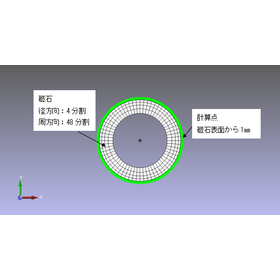
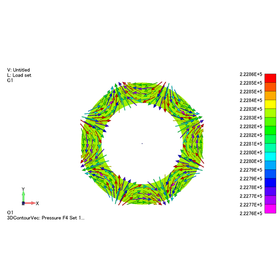
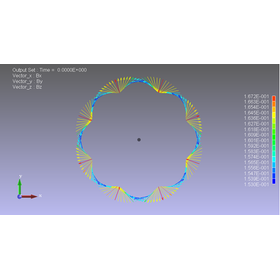
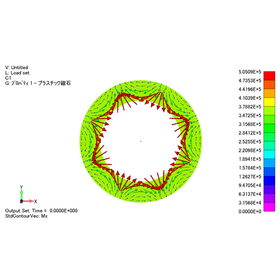
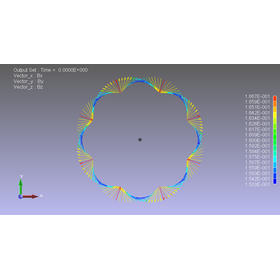
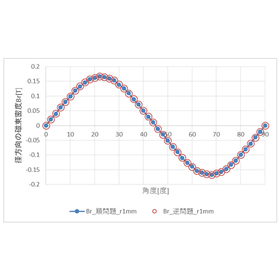
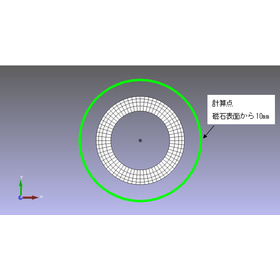
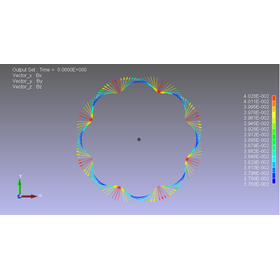
[Analysis Case] Predicting the magnetization distribution within a plastic magnet from measurement data.

Estimating the magnetization distribution from the numerical data of magnetic flux density obtained from the forward problem! Introducing an analysis case of the inverse problem.

The case of analyzing the magnetic field created by magnets and coils is called a forward problem. On the other hand, the problem of determining magnetization or current from the magnetic field distribution is called an inverse problem. In this instance, we will introduce a case where we estimate the magnetization inside a magnet from numerical data of the magnetic flux density on the surface of a plastic magnet, and analyze the magnetic flux density created by that magnetization (inverse problem). For convenience, we will estimate the magnetization from the magnetic flux density obtained through the forward problem and calculate the magnetic flux density at a different location. Since we will use the results of the forward problem, we can compare the results of the forward and inverse problem analyses and evaluate the validity of the inverse problem analysis function. [Case Overview] ■ Software Used: PHOTO-MAGTZ ■ Analysis Results - The magnetic flux density at a position 1mm away from the surface of the magnet is generally consistent between the forward and inverse problems. - There are multiple magnetization distributions that show the same magnetic flux density. *For more details, please refer to the PDF document or feel free to contact us.

  • 2022-11-21_16h26_09.png
  • 2022-11-21_16h26_14.png
  • 2022-11-21_16h26_19.png
  • 2022-11-21_16h26_24.png
  • 2022-11-21_16h26_29.png
  • 2022-11-21_16h26_35.png
  • 2022-11-21_16h26_40.png
  • 2022-11-21_16h26_45.png
  • 2022-11-21_16h26_50.png
  • Magnetic field analysis/electromagnetic wave analysis
  • Analysis Services
  • Contract Analysis
  • Technical Calculation Software

Added to bookmarks

Bookmarks list

Bookmark has been removed

Bookmarks list

You can't add any more bookmarks

By registering as a member, you can increase the number of bookmarks you can save and organize them with labels.

Free membership registration

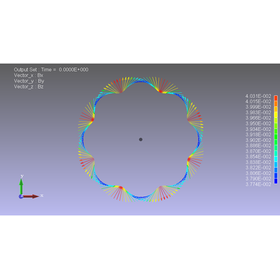
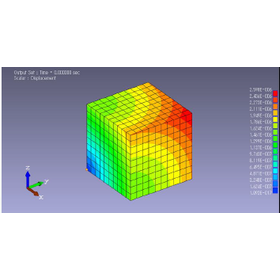
■Coupled Analysis (Dynamic Magnetic Field + Elastic Stress) EDDY & ELAS

Magnetic field analysis software (magnetic field simulator) using the finite element method performs static analysis and transient response analysis.

The software for magnetic field analysis using the finite element method (magnetic field simulator) performs static analysis and transient response analysis. It can handle three-dimensional problems. 【Features】 - Since it is integrated with the PHOTO series dedicated pre- and post-processing tools, data creation, analysis, and result processing can be performed as a single operation. - Because it is integrated with other PHOTO series modules, coupled analysis, such as calculating displacements from nodal forces obtained through electromagnetic field analysis, can be easily performed. - A revolutionary speedup has been achieved through the combined use of edge element method and ICCG method (tens of times faster than conventional finite element methods). - The use of the finite element method ensures stable solutions, making it safe for beginners to use. - Since EDDY and ELAS are integrated, the transfer of nodal forces is automatically conducted without the need for files. - It is also possible to use EDDY and ELAS separately.

  • rev_e_e2.png
  • Stress Analysis
  • Magnetic field analysis/electromagnetic wave analysis
  • simulator
  • Technical Calculation Software

Added to bookmarks

Bookmarks list

Bookmark has been removed

Bookmarks list

You can't add any more bookmarks

By registering as a member, you can increase the number of bookmarks you can save and organize them with labels.

Free membership registration

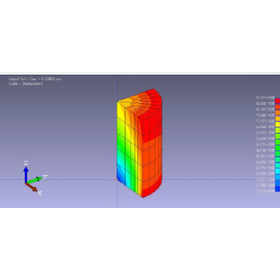
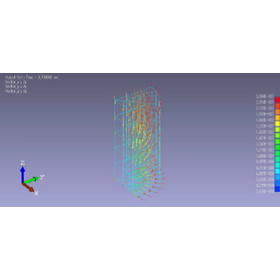
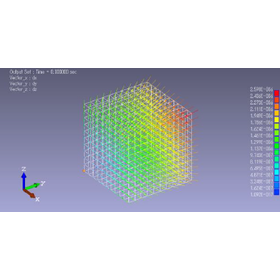
■Coupled Analysis (Electric Field + Elastic Stress) VOLT & ELAS

This is a finite element method-based electric field analysis software (electric field simulator) that performs static analysis and transient response analysis.

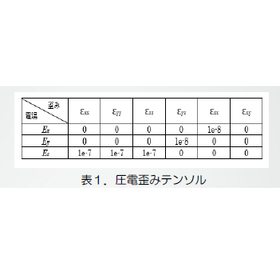
The software for electric field analysis using the finite element method (electric field simulator) performs static analysis and transient response analysis. It can handle three-dimensional problems. 【Features】 - Since it is integrated with the PHOTO series dedicated pre- and post-processing tools, data creation, analysis, and result processing can be performed as a continuous operation. - It is integrated with other PHOTO series modules, allowing for easy coupled analysis, such as calculating displacements from the electric field strength obtained through electric field analysis using the piezoelectric strain tensor. - A revolutionary speedup has been achieved through the combined use of edge element method and ICCG method (tens of times faster than conventional finite element methods). - The use of finite element method ensures stable solutions, making it user-friendly even for beginners. - Since VOLT and ELAS are integrated, the transfer of electric field strength is automatically executed without the need for file transfers. - It is also possible to use VOLT and ELAS separately.

  • ren_v_e2.png
  • ren_v_e3.png
  • Stress Analysis
  • Magnetic field analysis/electromagnetic wave analysis
  • simulator
  • Technical Calculation Software

Added to bookmarks

Bookmarks list

Bookmark has been removed

Bookmarks list

You can't add any more bookmarks

By registering as a member, you can increase the number of bookmarks you can save and organize them with labels.

Free membership registration

Technical calculation software for mechanical designers: CADTOOL Mechanical 8

Packed with technical calculation software useful for mechanical design.

CADTOOL Mechanical is a technical calculation software for mechanical designers. "There is a 15-day trial version available with full functionality." It is possible to automate calculations that were previously done using formulas and calculators, thereby improving work efficiency! For other features and details, please feel free to download the catalog or contact us if you have any questions. ■ Contact Information Marble Co., Ltd. Embedded Products Division Product Business Department Phone: (03) 3419-6011

  • Other CAD related software
  • Technical Calculation Software

Added to bookmarks

Bookmarks list

Bookmark has been removed

Bookmarks list

You can't add any more bookmarks

By registering as a member, you can increase the number of bookmarks you can save and organize them with labels.

Free membership registration

Affordable and easy-to-use CADTOOL Frame Structure Analysis 12 3D

"Usable from low prices" "Easy to use even for beginners" Frame structure analysis

Analysis of the structural framework of beams, trusses, and frames! For frame structure analysis, we offer three products: '2D', '3D', and '3D Dynamic Analysis'! '15-day trial version available with full functionality' For other features and details, please download the catalog or feel free to contact us with any questions. ■ Contact Marble Inc. Embedded Products Division, Product Business Department Phone: (03) 3419-6011

  • Structural Analysis
  • Technical Calculation Software

Added to bookmarks

Bookmarks list

Bookmark has been removed

Bookmarks list

You can't add any more bookmarks

By registering as a member, you can increase the number of bookmarks you can save and organize them with labels.

Free membership registration

Technical Calculation Software CADTOOL Frame Structure Analysis 12 2D

"Low price" "Easy to use for beginners" Frame structure analysis specialized in planar structural calculations.

Analysis of the structural framework of beams, trusses, and frames! We offer three products for frame structure analysis: '2D', '3D', and '3D dynamic analysis'! '15-day trial version available with full functionality' For other features and details, please feel free to download the catalog or contact us with any questions. ■ Contact Marble Inc. Embedded Products Division, Product Business Department Phone: (03) 3419-6011

  • Structural Analysis
  • Technical Calculation Software

Added to bookmarks

Bookmarks list

Bookmark has been removed

Bookmarks list

You can't add any more bookmarks

By registering as a member, you can increase the number of bookmarks you can save and organize them with labels.

Free membership registration

Technical calculation software "CADTOOL Frame Structure Analysis 12"

For the structural analysis of beams, trusses, and frames! A lineup of three products tailored for easy use, even for beginners.

"CADTOOL Frame Structure Analysis 12" is a technical calculation software classified by function. The easy-to-introduce package "Frame Structure Analysis 12 2D" is specialized for calculating planar structures. It allows users to set support conditions, load conditions, and member settings according to actual structures such as beams, trusses, and frames, enabling stress analysis. In addition, we offer a standard package "Frame Structure Analysis 12 3D" for calculating three-dimensional skeletal structures, and a package "Frame Structure Analysis 12 3D Dynamic Analysis" that can also address vibration issues. 【Features】 ■ Easy to use for beginners ■ Available at a low price ■ Three products tailored to different applications ■ Analysis of skeletal structures for beams, trusses, and frames *For more details, please refer to the PDF materials or feel free to contact us.

  • Other CAD related software
  • Other CAD
  • Technical Calculation Software

Added to bookmarks

Bookmarks list

Bookmark has been removed

Bookmarks list

You can't add any more bookmarks

By registering as a member, you can increase the number of bookmarks you can save and organize them with labels.

Free membership registration

Technical calculation software "CADTOOL Mechanical 8"

Packed with technical calculation software useful for mechanical design, such as spring calculations and chain calculations!

"CADTOOL Mechanical 8" is a technical calculation software for mechanical designers that automates calculations, which were previously done using calculators and formulas, making the process simpler and improving work efficiency. This product includes 12 types of calculation functions, such as "spring calculations," "bearing life calculations," "spur gear calculations," and "plate cam calculations." [Functions (excerpt)] ■ Spring calculations ■ Chain calculations ■ Belt length calculations ■ Link mechanism calculations ■ Screw tension calculations ■ Shaft stress calculations *For more details, please refer to the PDF document or feel free to contact us.

  • Other CAD related software
  • Other CAD
  • Technical Calculation Software

Added to bookmarks

Bookmarks list

Bookmark has been removed

Bookmarks list

You can't add any more bookmarks

By registering as a member, you can increase the number of bookmarks you can save and organize them with labels.

Free membership registration

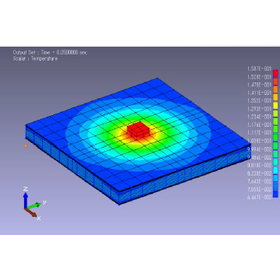
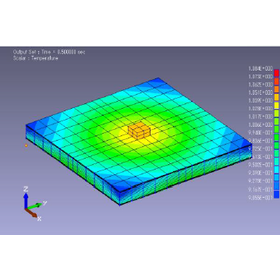
■Coupled Analysis (Electric Field + Heat Conduction) VOLT & THERMO

We perform static analysis and transient response analysis using finite element method-based electric field analysis software (electric field simulator).

The software for electric field analysis using the finite element method (electric field simulator) performs static analysis and transient response analysis. It can handle 3D, 2D, and axisymmetric problems. - Since it is integrated with the PHOTO series dedicated pre- and post-processing tools, data creation, analysis, and result processing can be performed as a series of operations. - Because it is integrated with other PHOTO series modules, coupled analysis, such as calculating temperature distribution from heat generation obtained through electric field analysis, can be easily performed. - A revolutionary speedup has been achieved through the combined use of edge element method and ICCG method (tens of times faster than conventional finite element methods). - The use of the finite element method ensures stable solutions, making it safe for beginners to use. - It can be coupled with the thermal conduction analysis module PHOTO-THERMO to calculate temperature distribution from Joule heating within conductors. - Since VOLT and THERMO are integrated, the transfer of heat generation density is automatically executed without the need for files. - It is also possible to use VOLT and THERMO independently.

  • ren_v_p2.png
  • ren_v_p3.png
  • Magnetic field analysis/electromagnetic wave analysis
  • Thermo-fluid analysis
  • simulator
  • Technical Calculation Software

Added to bookmarks

Bookmarks list

Bookmark has been removed

Bookmarks list

You can't add any more bookmarks

By registering as a member, you can increase the number of bookmarks you can save and organize them with labels.

Free membership registration

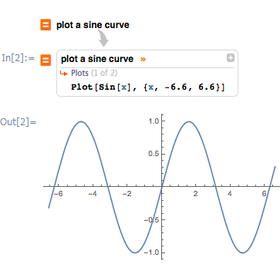
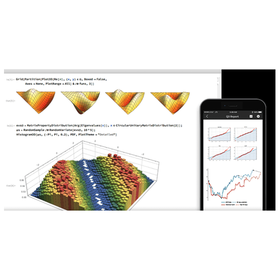
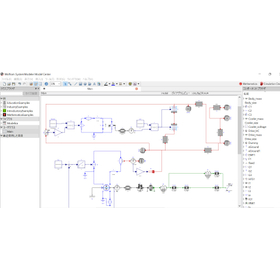
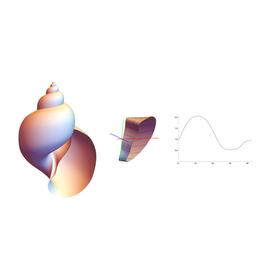
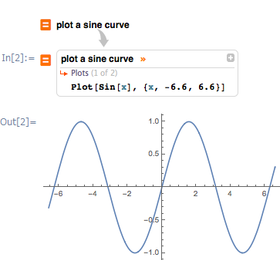
Mathematica: A Technical Computing System for Research and Education

Seamlessly from idea to result. It has countless built-in functions.

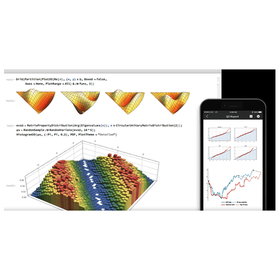
"Mathematica" is a processing system that incorporates countless functions available across a wide range of fields, from science, engineering, biotechnology, medicine, finance, art, and education to hobbies. It is undoubtedly a tool for users to materialize their ideas and a partner in their research and development, consistently providing surprises and discoveries. 【Features】 ■ An all-in-one integrated system ■ Powerful and user-friendly ■ Seamlessly integrated with the cloud ■ Instant access to real-world data ■ Over 150,000 examples *For more details, please refer to the PDF materials or feel free to contact us.

  • Mathematica_0.png
  • 1_WSM_window.jpg
  • case_mathematica_k_03.png
  • v103_10.png
  • Mathematical processing
  • Visualization
  • Other research software
  • Technical Calculation Software

Added to bookmarks

Bookmarks list

Bookmark has been removed

Bookmarks list

You can't add any more bookmarks

By registering as a member, you can increase the number of bookmarks you can save and organize them with labels.

Free membership registration

AI Platform for Materials Informatics [Simplified Version]

Instant answers to your materials informatics concerns! The evolved AI platform LiveDesign accelerates new material development.

Do you have any of the following concerns in materials informatics? Schrödinger's LiveDesign solves these issues and accelerates MI, from data recording, completion, automation of machine learning, to sharing analytical methods and results. 【Concern 1】 Data quality issues: Formats and terminology are inconsistent ➡ We register data in a unified language in the same spreadsheet. 【Concern 2】 Data quantity issues: The data is full of missing values ➡ We complete the data using physical chemistry calculations and machine learning. 【Concern 3】 Undemocratic AI, machine learning, and analytical methods: Not knowing where to start ➡ We automatically generate suitable machine learning models while accumulating data, creating high-precision models without relying on computational chemists. 【Concern 4】 Internal sharing issues: A good predictive model has been created, but there is no mechanism to deploy it internally ➡ Analytical methods and results can be shared within a group via a web interface. *For more details, please feel free to contact us.

  • Embedded OS
  • Technical Calculation Software

Added to bookmarks

Bookmarks list

Bookmark has been removed

Bookmarks list

You can't add any more bookmarks

By registering as a member, you can increase the number of bookmarks you can save and organize them with labels.

Free membership registration

Orbital Design and Analysis of Satellites for Space Development 'Mathematica'

Seamless orbital calculations. Equipped with countless functions.

In the field of space development, accurate orbital calculations for satellites and spacecraft are essential for mission success. In particular, precise orbital predictions that take into account complex gravitational fields and perturbations lead to safe and efficient operations. Inaccurate calculations can pose risks such as orbital deviations and fuel wastage. 'Mathematica' has countless built-in functions available in the fields of science and engineering, supporting advanced orbital calculations. [Usage Scenarios] - Orbital design and analysis for satellites - Orbital planning for interplanetary missions - Perturbation calculations in orbit - Planning for orbital maneuvers [Effects of Implementation] - Increased mission success rates through high-precision orbital calculations - Accelerated development cycles due to reduced computation time - Modeling and simulation of complex physical phenomena - Utilization as a research and development partner

  • Mathematica_0.png
  • 1_WSM_window.jpg
  • case_mathematica_k_03.png
  • v103_10.png
  • Mathematical processing
  • Visualization
  • Other research software
  • Technical Calculation Software

Added to bookmarks

Bookmarks list

Bookmark has been removed

Bookmarks list

You can't add any more bookmarks

By registering as a member, you can increase the number of bookmarks you can save and organize them with labels.

Free membership registration